
Downloading an Android game takes only a few minutes, but choosing an unreliable installation file can expose your device and personal information to unnecessary risks. Some files have outdated versions, misleading descriptions, suspicious permissions, or download links that redirect users to unrelated websites.
This is particularly important when searching for a gaming APK outside the Google Play Store. Whether you are researching HeyBaji, 188PK, PK16, or another gaming platform, checking the source and application details should come before installation.
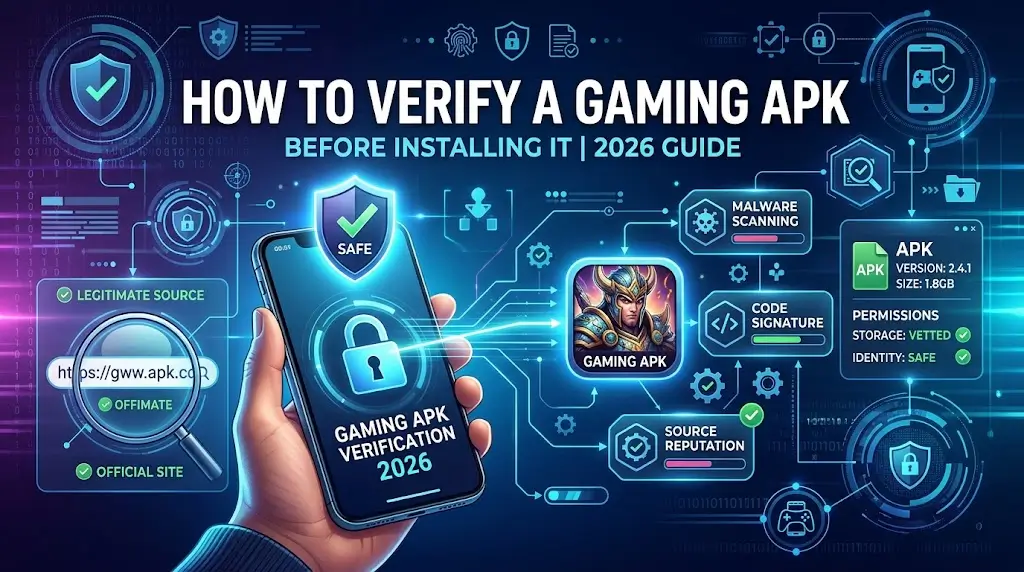
At APKPromex, we help readers understand Android applications, installation processes, and common security concerns. This guide explains how to evaluate a gaming APK using practical checks, official Android resources, and sensible account-protection habits.
Table of Contents
1. Verify the Publisher Before Downloading
Start by identifying who operates or publishes the application. If a developer provides an official website, compare the information there with the details shown on the download page.
Look for a publisher name, contact information, privacy policy, terms of service, and a clear explanation of the application’s purpose. Check whether the website identifies the app version and explains how updates are distributed.
When researching a gaming APK, remember that a familiar logo, professional design, or positive review does not prove that a file is genuine. These details can be copied by unrelated websites.
Before proceeding, ask yourself:
- Can I identify the publisher?
- Is the download source clearly explained?
- Does the website provide privacy and contact information?
- Are there unexpected redirects or unrelated download buttons?
If essential details are missing, pause and investigate. Read our APK files guide to understand how Android installation packages work.
2. Understand the APK File and Its Details
APK stands for Android Package Kit, commonly used to describe the package format for installing Android applications. It contains application components, resources, a manifest, and other information required for installation.
However, a file carrying the correct app name is not necessarily the original application. Third parties can distribute modified or repackaged files under familiar names.
Before installing a gaming APK, compare the following information whenever it is available:
| Detail | What to verify |
|---|---|
| Application name | Does it match the intended app? |
| Version number | Is the release information consistent? |
| File size | Does it match credible publisher information? |
| Package name | Does it identify the expected application? |
| Digital signature | Does it match the publisher’s verified signing information? |
| Update date | Is the date supported by a reliable source? |
File size and update dates are useful clues, but neither proves that an application is safe. A newer version number is not automatically better, either.
Android’s official app-signing documentation explains how digital signatures help maintain application identity and package integrity. If you cannot verify the file’s origin, avoid treating its name or appearance as proof of authenticity.
3. Review Android App Permissions
Permissions determine which device features or information an application can access. Some requests are necessary for specific features, while others may be unrelated to the application’s main purpose.
When checking a gaming APK, pay particular attention to requests involving:
- SMS messages and notification access
- Contacts and call-related information
- Camera and microphone
- Precise location
- Accessibility services
- Broad access to personal files
A permission is not automatically dangerous simply because it is sensitive. The important question is whether the requested access is justified by a clearly explained feature.
For example, an application may need microphone access for voice chat, but a simple game requesting SMS access without a clear reason deserves closer examination.
You can review app permissions through your Android device’s Settings. Menu names vary between devices and Android versions.
Never grant sensitive permissions just because an app promises a bonus, account activation, or a special reward in return.
4. Scan the File With Google Play Protect
Google Play Protect provides Android security checks that help identify potentially harmful applications. It can also check applications installed from sources outside Google Play.
To review your device’s protection:
- Open the Google Play Store.
- Tap your profile icon.
- Select Play Protect.
- Review the available scan options and scan your device.
Read Google’s official Play Protect safety guide for more information.
You can also use VirusTotal to submit a file for analysis by multiple security tools. A clean result is not a guarantee that a file is harmless, and you should avoid uploading files that contain private information.
If Play Protect flags a gaming APK, investigate the warning rather than immediately dismissing it. Our Play Protect blocking APK guide explains common warning situations and safer troubleshooting steps.
Keep security protection enabled, and do not bypass a warning simply to finish an installation.

5. Compare Gaming Platforms Independently
Android users may encounter names such as HeyBaji, 188PK, PK16, and 88DD while researching mobile gaming platforms. Similar audiences or branding do not establish that these platforms share a publisher, security practices, or business model.
Evaluate each application separately. Check its publisher information, current version, permissions, privacy policy, and applicable terms rather than assuming that a positive description of one platform applies to another.
If you are researching a gaming APK, distinguish between information published by a download directory and evidence independently confirming an application’s security. A listing or review is not a security certification.
Also be careful with modified APKs advertised as unlocked, premium, or bonus-enabled. Their origin and behaviour may be difficult to verify, and they can introduce additional risks.
6. Protect Your Account and Financial Information
Some gaming platforms involve accounts, deposits, withdrawals, promotional rewards, or other financial activity. In these situations, device security is only one part of the decision.
Before registering or making a payment:
- Use a unique password that you do not reuse for banking or email.
- Never disclose your password, wallet PIN, or one-time password (OTP).
- Review the privacy policy and account terms.
- Check transaction details and payment recipients carefully.
- Understand withdrawal conditions, fees, and eligibility requirements.
- Be suspicious of unexpected extra payments requested to release a displayed balance.
A screenshot, promotional offer, or positive testimonial cannot guarantee that a platform will pay a withdrawal or provide a financial return.
Real-money gaming can result in financial losses. Check the laws and age restrictions that apply to your location before participating in betting or gambling-related activities.
7. Recognize Fake Download Buttons and Redirects
Some websites display several buttons labelled Download, Install, or Update. These may lead to advertisements, unrelated applications, or external websites instead of the expected file.
Before clicking, check the destination when possible. Avoid pages that repeatedly redirect you, request unrelated personal information, or pressure you to disable security protection.
A legitimate installation process should not require you to share your email password or provide an OTP to an unknown person.
If a download link behaves unexpectedly, close the page and reassess the source. Never enter payment information simply because a website opened after selecting a download button.
8. Troubleshoot Common APK Installation Problems
Installation errors can result from compatibility issues, incomplete downloads, or conflicts with an existing application. Not every error indicates malware, but unexplained warnings should be taken seriously.
App not installed: Confirm that the file downloaded completely and that your device meets the application’s requirements.
Package conflict: An existing installation may use a different package identity or signing certificate. Do not remove a trusted application until you understand the conflict.
App blocked by security protection: Review the warning, investigate the source, and avoid bypassing a serious security alert.
Application crashes: Check device compatibility, available storage, and whether a verifiable update exists.
Unexpected permission request: Cancel the process and investigate why access is required.
For additional help, consult the official Android Help Center.
Final Checklist Before Installing
Before installing any gaming APK, confirm that you have:
- Identified the download source and claimed publisher.
- Compared the application name, version, and available file details.
- Checked the destination of the download link.
- Reviewed the permissions requested by the app.
- Kept Google Play Protect enabled.
- Reviewed the privacy policy and applicable terms.
- Considered financial and legal risks, where relevant.
- Protected your passwords, PINs, and OTPs.
If important details remain unverified, postpone installation until you have better information.
Frequently Asked Questions
How can I verify a gaming APK before installing it?
Check the download source, publisher, version details, available digital-signature information, and requested permissions. Scan the file and investigate security warnings before proceeding.
Is an APK safe if Google Play Protect does not flag it?
Not necessarily. Play Protect is an important security layer, but no single scan can guarantee that an application is completely safe. Combine scanning with source verification and permission checks.
Is a newer APK version always safer?
No. A higher version number does not establish authenticity or security. Compare the release information with credible publisher details whenever possible.
What should I do if an APK requests unnecessary permissions?
Cancel the installation or deny the request where appropriate. Investigate the application’s purpose and avoid granting sensitive access without a clear justification.
Should I disable Play Protect to install a game?
Generally, no. Investigate the warning and verify the file’s source instead of automatically removing an important security safeguard.
Can I trust an APK because a website recommends it?
A recommendation alone does not prove that an application is authentic, secure, legally authorized, or financially reliable. Verify the details independently.
Final Thoughts
Finding a download link is only the beginning of evaluating an Android application. The publisher, file details, permissions, security warnings, privacy practices, and installation behaviour all matter.
Whether you are researching HeyBaji, 188PK, PK16, or another gaming platform, use the same verification process instead of relying on promotional claims. Keep Android protection enabled, protect your personal information, and investigate unexpected requests before proceeding.
APKPromex encourages readers to make informed decisions using credible information and practical security checks. If you cannot establish where a file came from or why it requests sensitive access, waiting for a verifiable source is a better choice than taking an unnecessary risk.